How to Explain Employment Gaps on Your Resume (With Examples)

How to Explain Employment Gaps on Your Resume (With Examples)

There’s a particular kind of dread that sets in when you’re staring at your own work history and realize there’s a hole in it. Six months between jobs. A year spent caregiving. Eighteen months that vanished into a layoff and a slow job market. The instinct is almost always the same: hide it, shrink it, hope nobody notices.

That instinct is understandable, and it’s also outdated. Employment gaps have become so common — thanks to layoffs, the pandemic, caregiving responsibilities, health issues, and the general instability of modern careers — that most experienced recruiters no longer treat a gap itself as a red flag. What raises eyebrows isn’t the gap. It’s the silence around it. An unexplained gap invites the reader to imagine the worst-case explanation, and imagination is rarely kind. This guide walks through how to close that gap in the reader’s mind before it becomes a problem, with real language you can adapt.

Why Gaps Feel Bigger Than They Actually Are

Here’s something worth sitting with: the person most bothered by your employment gap is almost always you, not the hiring manager. Candidates tend to assume recruiters are running a magnifying glass over every month of their timeline, hunting for inconsistencies. In reality, most recruiters are skimming quickly, pattern-matching for red flags, and moving on. A gap that’s acknowledged briefly and confidently barely registers. A gap that’s obviously being hidden — through vague date formatting or suspicious omissions — registers immediately, because concealment reads as far more suspicious than the gap itself would have.

This is the core principle behind everything in this guide: you’re not trying to make the gap disappear. You’re trying to make it boring. Boring is the goal. A gap that reads as an ordinary, explainable life event doesn’t cost you the interview. A gap that reads as a mystery does.

The Most Common Employment Gap Mistakes

1. Using deceptive date formatting. Listing only years instead of months (“2023–2024” to obscure a ten-month gap) is a well-known trick, and experienced recruiters know it too. It doesn’t hide anything; it just signals that you’re hoping they won’t do the math. If your gap is going to come up in conversation anyway, better to control the narrative on your own terms than have it feel like something was caught.

2. Over-explaining in the resume itself. The opposite mistake is writing a paragraph of justification directly on the resume — health details, family circumstances, financial hardship. This is oversharing in a document designed for scanning, not storytelling, and it can also open the door to certain forms of unconscious bias you have no obligation to invite in. The resume’s job is to briefly signal that the gap is accounted for; the interview is where more nuanced conversation, if needed, happens.

3. Treating every gap the same way. A three-month gap after a layoff needs almost no explanation at all — it’s simply normal. An eighteen-month gap for a career pivot benefits from framing that connects what you were doing during that time to where you’re headed next. Not all gaps carry equal narrative weight, and treating a minor gap like it needs a dramatic cover story often draws more attention to it than it deserves.

4. Leaving productive time invisible. This is the most fixable mistake on the list. Many people spend gap periods doing things that are entirely resume-relevant — freelance work, coursework, volunteering, caregiving that developed real organizational skills — but never think to mention any of it because it wasn’t a “real job.” If you did something during the gap, even informally, it usually belongs somewhere on the page.

Five Strategies for Handling a Gap, With Examples

Strategy 1: Use a Functional or Combination Resume Format

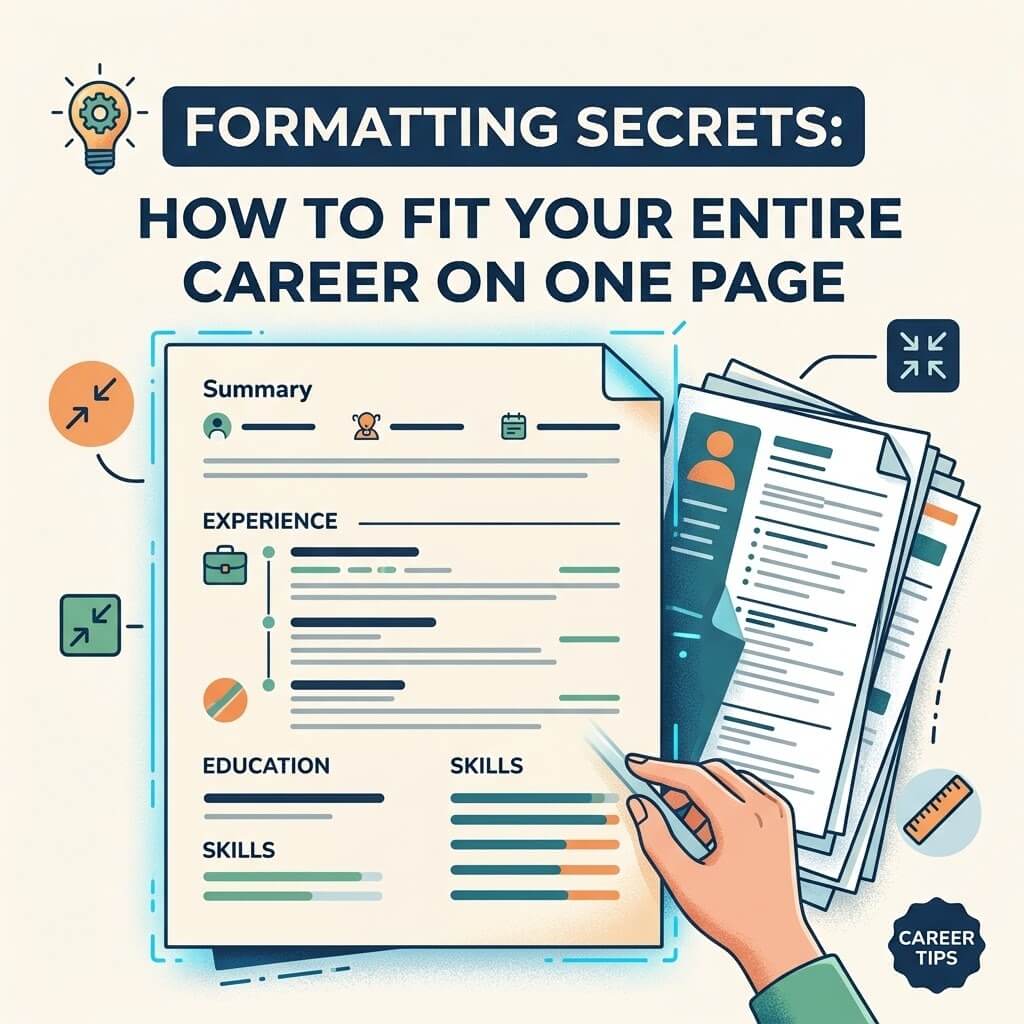
Traditional chronological resumes put dates front and center, which can make gaps more visually obvious. A combination format leads with a skills or qualifications summary and pushes the detailed timeline further down, giving the reader a strong impression of your abilities before they hit the dates. This doesn’t hide anything — it just changes what gets read first.

Strategy 2: Add a Line Item for the Gap Period

Treat the gap period the way you’d treat any other line on your resume: give it a title, a date range, and one or two lines of description.

Example — Caregiving:

Family Caregiver | March 2023 – January 2024 Managed full-time care coordination for a family member, including medical scheduling, insurance navigation, and household budget management.

Example — Layoff/Job Search:

Independent Consultant | June 2023 – October 2024 Provided freelance marketing consulting for two small businesses while conducting a targeted job search in the SaaS industry.

Example — Education/Upskilling:

Professional Development | January 2023 – August 2023 Completed a full-stack web development certification (400+ hours) and built three portfolio projects using React and Node.js.

Each of these treats the gap as a period of activity rather than absence — because in most cases, it genuinely was one.

Strategy 3: Address It Briefly in the Cover Letter

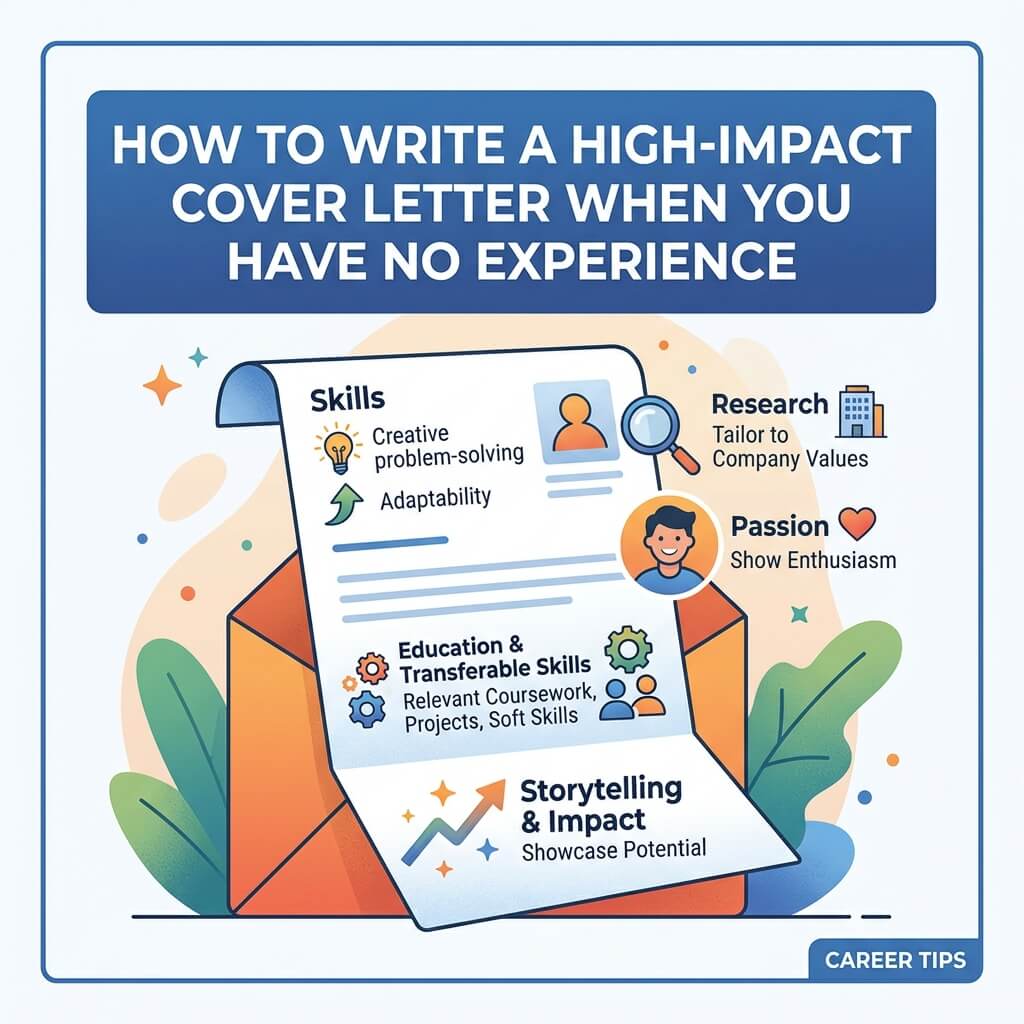
For candidates who feel their gap needs slightly more context than a resume line can offer, a single sentence in the cover letter often does the job better than any resume formatting trick. The key word is briefly.

Example: “After a company-wide layoff in early 2023, I spent several months caring for a family member before returning to a focused job search — during which I also completed a certification in project management to sharpen my skills for this next chapter.”

Notice the structure: state the fact plainly, don’t apologize for it, and pivot quickly toward forward motion. A sentence like this closes the loop without inviting further scrutiny.

Strategy 4: Reframe Around What the Gap Produced

This is the strategy most candidates underuse, and it’s arguably the most persuasive one available. Rather than treating the gap as something to explain away, treat it as a period that produced something useful — a skill, a perspective, a piece of evidence about how you handle adversity.

Someone who spent a year unemployed after a layoff and used part of that time to learn a new software platform isn’t just “explaining a gap” when they mention it — they’re demonstrating initiative under pressure, which is a genuinely attractive trait to employers. The gap stops being a liability and becomes, in a small way, evidence in your favor.

Strategy 5: Prepare a Short, Confident Verbal Explanation

Even a resume that handles a gap gracefully will often still generate a follow-up question in an interview. The candidates who handle this best aren’t the ones with the most dramatic or sympathetic story — they’re the ones with the calmest, most rehearsed thirty-second answer. A good template:

What happened → what you did with the time → why you’re ready now.

“I was laid off along with about 40% of my team when the company restructured. I used the time to complete a certification and take on some freelance projects, and I’m honestly glad to be bringing that updated skill set into a full-time role now.” Said with a steady tone, this kind of answer usually closes the topic within seconds. Nervous over-explanation is what keeps it open.

Gap Explanations by Situation

Layoff or company downsizing: This is the easiest gap to explain, because it’s almost universally understood and carries no stigma in most industries. A brief, factual mention is enough — no need to dress it up.

Health-related gap: You are never obligated to disclose specific medical information on a resume or in an interview. A general phrase like “medical leave” or “personal health matter” is sufficient, and any employer asking for more than that in an interview is asking for more than they’re entitled to.

Caregiving (children, aging parents, family illness): Framing caregiving explicitly as unpaid labor with transferable skills — coordination, budgeting, crisis management — tends to land well, because it treats the work as work rather than as an absence from work.

Travel or sabbatical: These gaps benefit from a light touch. One line acknowledging the time away, optionally with a brief nod to any skills or perspective gained, is usually all that’s needed.

Failed business or entrepreneurial attempt: This is one of the more nuanced gaps to explain, because “my business didn’t work out” can sound discouraging if framed poorly. Reframing around what was built, learned, or managed — budgets, hiring, sales, negotiation — usually serves better than framing around the outcome.

Extended job search in a difficult market: Naming this plainly (“job search,” “career transition”) is often more credible than trying to disguise the time with vague freelance titles that don’t hold up to a follow-up question.

A Final Note on Perspective

It’s worth remembering that the modern labor market has made gaps dramatically more common than they were even a decade ago. Mass layoffs across entire industries, the aftershocks of a global pandemic, and a general loosening of the idea that a career must be one unbroken chronological line have all shifted what “normal” looks like on a resume. Hiring managers who’ve been through their own version of a gap — and by now, many have — tend to extend more grace than candidates expect. The goal of every strategy in this guide isn’t to trick anyone into overlooking a gap. It’s to present it the way it actually happened: as a period of your life that, like every other period on your resume, had things happening in it. Handled with a little structure and a calm tone, a gap stops being the thing a hiring manager notices first — and becomes just one more unremarkable line in a resume that’s otherwise doing its job.

The Ultimate Guide to Writing a Career Objective That Gets Read

The Ultimate Guide to Writing a Career Objective That Gets Read

Recruiters spend an average of six to eight seconds scanning a resume before deciding whether to keep reading. That statistic alone should change how you think about the career objective sitting at the top of your document. It isn’t a formality. It’s the headline of your personal marketing pitch, and like any headline, it either earns the reader’s attention or loses it.

Most career objectives fail for the same reason clickbait headlines fail: they promise nothing specific. “Seeking a challenging position where I can utilize my skills and grow professionally” tells a hiring manager absolutely nothing about who you are or what you bring to their team. It’s the resume equivalent of white noise. This guide breaks down why that happens, what actually works instead, and how to write an objective statement that survives the six-second test — and earns you the next thirty.

Why the Career Objective Still Matters in 2026

There’s a persistent myth in career advice circles that the “objective statement” is dead, replaced entirely by the more modern “resume summary.” There’s some truth buried in that claim, but it’s more nuanced than a flat yes or no.

The distinction matters less than people think. What actually killed the old-style objective wasn’t the label — it was the content. Statements that talked about what the candidate wanted (“seeking a role that offers growth and stability”) gave way to statements that talked about what the candidate offers (“results-driven marketing coordinator with 3 years of experience scaling paid social campaigns”). That shift in orientation, from taker to giver, is the real evolution. Whether you call the resulting few sentences an “objective” or a “summary” is almost beside the point — the underlying skill is the same, and it’s the one this guide focuses on.

Career objectives remain especially useful in a few specific situations:

  • Entry-level candidates with little work history to summarize
  • Career changers who need to explain a pivot before the reader gets confused
  • Applicants targeting a very specific role where a tailored, focused statement helps beat automated screening
  • Anyone applying through an Applicant Tracking System (ATS), where the right keywords in the opening lines can influence whether a human ever sees the resume at all

If you fall into any of these categories, a well-written objective isn’t optional — it’s doing real work that the rest of your resume can’t do on its own.

The Anatomy of an Objective That Actually Gets Read

A strong career objective almost always contains four ingredients, in roughly this order:

  1. A role or professional identity — who you are, stated in industry-recognizable terms
  2. A quantifiable strength or credential — proof, not adjectives
  3. A specific value proposition — what problem you solve for this particular employer
  4. A subtle signal of intent — what you’re aiming for next, phrased around their needs rather than yours

Compare these two examples:

Weak: “Hardworking and motivated individual looking for an opportunity in customer service where I can use my communication skills.”

Strong: “Customer service representative with 2+ years of experience resolving an average of 60+ tickets per day at a 95% satisfaction rate, seeking to bring proven de-escalation and CRM expertise to [Company]’s support team.”

The second version isn’t longer because it’s trying to impress with length — it’s longer because it’s carrying more evidence per sentence. Every word is either a credential, a number, or a specific skill. Nothing is filler.

Common Mistakes That Sink an Objective Statement

1. Vague self-praise instead of evidence. Words like “dynamic,” “passionate,” “hardworking,” and “detail-oriented” have been used so often in resumes that they’ve essentially become noise to a trained reader. A recruiter has no way to verify “passionate.” They can verify “increased regional sales by 18% over two quarters.”

2. Writing about what you want, not what you offer. This is the single most common flaw in objective statements, and it’s worth dwelling on because it’s so counterintuitive to fix. Job seekers naturally think about their own needs first — that’s human. But an employer reading a stack of resumes isn’t hiring a charity case; they’re solving a problem. Every sentence in your objective should implicitly answer the question: “Why should this specific company care?”

3. Making it generic enough to apply to any job. If you could copy-paste your objective statement into an application for a completely different role at a different company and it would still technically make sense, it’s too generic to be useful. Specificity is what makes an objective feel like it was written for this employer rather than mass-produced.

4. Ignoring the ATS. Many companies filter resumes through software before a human ever sees them. That software is often scanning for specific keywords pulled directly from the job description — job titles, tools, certifications, methodologies. An objective statement that never mentions any of these terms risks being filtered out regardless of how well-written it is. This doesn’t mean stuffing keywords unnaturally; it means mirroring the language the employer already used to describe the role.

5. Excessive length. A career objective is not a cover letter. Two to four sentences, or roughly 30–50 words, is the sweet spot. Anything longer starts competing with the rest of the resume for attention it hasn’t earned yet.

How to Write Your Career Objective, Step by Step

Step 1: Study the job posting like a script

Before writing a single word, read the job description twice — once for overall sense, once specifically hunting for repeated terms, required tools, and phrases that signal what the employer values most. If “cross-functional collaboration” appears twice in a posting, that’s not an accident; it’s a hint about what the hiring manager is worried about finding in a candidate.

Step 2: Identify your strongest, most relevant proof point

Pick one achievement, credential, or skill set that most directly answers the employer’s stated need. Resist the urge to list everything you’ve ever done — an objective is a highlight reel, not a full biography.

Step 3: Draft using the four-part structure

Role + Proof + Value + Direction. Write it out in full sentences first, then edit ruthlessly. A useful trick: after drafting, delete every adjective and see if the sentence still makes sense. If it does, the adjective wasn’t doing any work.

Step 4: Mirror the employer’s language — without copying it verbatim

If the posting says “manage stakeholder relationships,” and your resume elsewhere says “client communication,” consider aligning the phrasing. This isn’t about gaming a system dishonestly; it’s about speaking the same professional dialect as the person reading your resume, human or algorithmic.

Step 5: Read it out loud

This sounds trivial, but it catches more problems than any other editing step. If a sentence is hard to say naturally, it’s probably packed with too much jargon or too many clauses. Objective statements should read like confident, plain speech — not like a corporate press release.

Real Examples Across Different Career Stages

Recent graduate: “Recent Computer Science graduate (GPA 3.8) with hands-on experience building three full-stack applications during coursework and a summer internship at a fintech startup, seeking a junior developer role where I can apply Python and React skills to real-world product problems.”

Mid-career professional: “Operations manager with 6 years of experience streamlining supply chain workflows, reducing fulfillment time by 22% at a 200-person distribution company, looking to bring process optimization expertise to a growth-stage logistics team.”

Career changer: “Former high school teacher transitioning into instructional design, bringing 5 years of curriculum development experience and a recent certification in UX for e-learning, aiming to help [Company] build more engaging corporate training content.”

Returning to the workforce: “Marketing professional returning to full-time work after a career break, with prior experience managing $500K+ in annual ad spend and a recently completed certification in Google Analytics 4, ready to bring updated digital marketing skills to a fast-paced in-house team.”

Notice that none of these rely on generic enthusiasm. Each one leads with a credential or number, and each one gestures toward a specific kind of employer need.

A Word on Tone

There’s a temptation, especially among newer job seekers, to sound impressive by sounding formal — reaching for words like “utilize” instead of “use,” or “leverage” instead of “apply.” In small doses this is fine, but overdone, it creates distance instead of confidence. The best objective statements read like a capable person describing their own work plainly, not like a thesaurus exercise. Confidence, in resume writing, usually sounds simple.

Final Checklist Before You Hit Submit

  • Does it mention a specific role, not a vague “position”?
  • Does it include at least one number, credential, or concrete skill?
  • Could this sentence only apply to this job, or could it be pasted into any application?
  • Have I mirrored language from the actual job posting?
  • Is it under 50 words?
  • Does it sound like something a confident professional would say out loud?

If you can answer yes to all six, your career objective isn’t just filling space at the top of the page — it’s doing the job it was always meant to do: making a stranger want to keep reading.

How to Tailor Your CV for ATS (Applicant Tracking Systems)

How to Tailor Your CV for ATS (Applicant Tracking Systems)

You spent three hours perfecting your CV. The formatting is clean, the language is polished, and your experience genuinely matches the job. You hit submit — and never hear back.

What happened?

Chances are, a machine screened you out before a human ever read your name.

Applicant Tracking Systems (ATS) have fundamentally changed how hiring works. Understanding how they function — and how to work with them, not against them — is no longer optional. It is the difference between getting interviews and getting ignored.


What Is an ATS and Why Does It Matter?

An ATS is software that employers use to collect, filter, and rank job applications. When you submit a CV online, it almost always goes into an ATS first. The system parses your document, extracts information, scores it against the job requirements, and decides whether a recruiter ever sees it.

According to widely cited industry estimates, over 98% of Fortune 500 companies use ATS software. But it is not just large corporations — mid-sized companies, staffing agencies, and even some small businesses now rely on these systems to manage high application volumes.

Here is the part that stings: studies have suggested that as many as 75% of qualified candidates are filtered out by ATS before a recruiter reviews their application. That means three out of four people who could do the job are eliminated by an algorithm.

The ATS is not your enemy — it is a gatekeeper you need to understand. Once you do, you can structure your CV in a way that passes the filter and reaches the people who actually make hiring decisions.


How ATS Software Actually Reads Your CV

Most job seekers imagine ATS systems as sophisticated AI that deeply understands context and nuance. The reality is more mechanical — and that is actually good news, because it means the rules are learnable.

Here is what an ATS typically does when it receives your CV:

Parsing: The system breaks your document into fields — name, contact details, work history, education, skills. It tries to assign each piece of information to the correct category.

Keyword matching: The ATS compares your content against the job description, looking for specific words and phrases the employer has flagged as important.

Scoring: Based on how closely your CV matches the job requirements, the system assigns a relevance score. Applications above a certain threshold move forward; those below it do not.

Ranking: Recruiters often see applications ranked by score, which means a highly matched CV gets reviewed first — sometimes before less-optimised CVs are seen at all.

The critical insight here is that ATS systems are literal. They are not inferring your competence from the quality of your prose. They are looking for specific strings of text that match what the employer asked for. If the job description says “project management” and your CV says “led initiatives,” the ATS may not connect those as equivalent — even though a human reader obviously would.


Step 1: Analyse the Job Description Before You Write a Single Word

The most important ATS optimisation happens before you open your CV document.

Read the job description carefully — not as a human skimming for general fit, but as a researcher looking for patterns.

Identify required versus preferred qualifications. Required skills are non-negotiable; the employer has almost certainly programmed these as mandatory filters. Preferred qualifications are bonus points. Prioritise accordingly.

Extract the exact language used. If the employer writes “stakeholder management,” use that phrase. If they write “cross-functional collaboration,” use that too. Do not substitute synonyms unless you are also including the original phrasing. ATS systems often match exact strings, not concepts.

Look for repeated terms. If “data analysis” appears four times across the job description, that is a strong signal it is a weighted keyword. Make sure it appears in your CV — naturally and in context, not artificially stuffed.

Note the job title itself. Including the exact job title (or a close variant) somewhere in your CV — such as in a professional summary — can improve your match score significantly.

A practical approach: copy the job description into a word frequency tool or simply read it twice and underline every skill, qualification, and responsibility that appears. That list becomes your targeting guide.


Step 2: Optimise Your CV’s Structure for Parsing

ATS software parses best when your CV follows a clean, conventional structure. Creative formats that look stunning in a PDF portfolio can be catastrophic for machine readability.

Use a Standard, Reverse-Chronological Format

ATS systems are trained on conventional CV structures. Reverse-chronological — most recent experience first — is the safest and most universally parsed format. Functional CVs (which lead with skills rather than chronological experience) confuse many ATS systems and can cause information to be miscategorised.

Use Clear, Standard Section Headings

Label your sections with headings that ATS systems recognise:

  • Work Experience (not “My Journey” or “Where I’ve Been”)
  • Education
  • Skills
  • Certifications
  • Professional Summary

Custom headings might feel more personal or creative, but they risk being misread or missed entirely by the parser.

Avoid Headers, Footers, and Text Boxes

Critical contact information placed in a document header or footer may be invisible to ATS software — the system often cannot read text outside the main body of the document. Similarly, text boxes (common in visually designed CVs) may be skipped entirely during parsing.

Put your name, email, phone number, and LinkedIn URL at the top of the document body — not in a header element.

Do Not Use Tables for Core Content

Tables can cause ATS parsers to scramble information, merging data from separate columns or dropping it entirely. If you must use a table for something like a skills grid, ensure it is not housing information the ATS needs to read in sequence.


Step 3: Integrate Keywords Naturally and Strategically

Keyword integration is where many job seekers either go too far or not far enough.

Keyword stuffing — cramming a job description’s language into your CV regardless of context — is a mistake. Modern ATS systems are becoming more sophisticated, and human reviewers (who do eventually read shortlisted CVs) will notice immediately if your document reads unnaturally. It also signals poor judgment.

Under-optimisation — using generic language that does not mirror the job description — means you will not match the filters even if you are genuinely qualified.

The goal is seamless integration: your CV should read naturally to a human while also containing the specific language the ATS is scanning for.

Where to Place Keywords

Professional summary: Your opening paragraph is prime keyword real estate. Use it to establish your professional identity using language that matches the role. If the job calls for a “results-driven marketing manager with digital analytics experience,” your summary should naturally reflect those exact attributes.

Work experience bullet points: Each bullet point is an opportunity to demonstrate a relevant skill using the employer’s terminology. Instead of writing “responsible for managing team members,” write “managed cross-functional team of 8 to deliver product launches on time and under budget” — the phrase “cross-functional” is likely from the job description.

Skills section: A dedicated skills section allows you to list hard skills, software, certifications, and technical competencies in a format ATS systems easily parse. Keep it straightforward: tool names, software versions, certifications, methodologies.

Education and certifications: If the job requires specific credentials, make sure they appear in your document using the same terminology the employer uses. “Project Management Professional (PMP)” is different in an ATS’s view from “PMP Certified.”


Step 4: Handle Formatting Details That Trip Up ATS Systems

File Format Matters

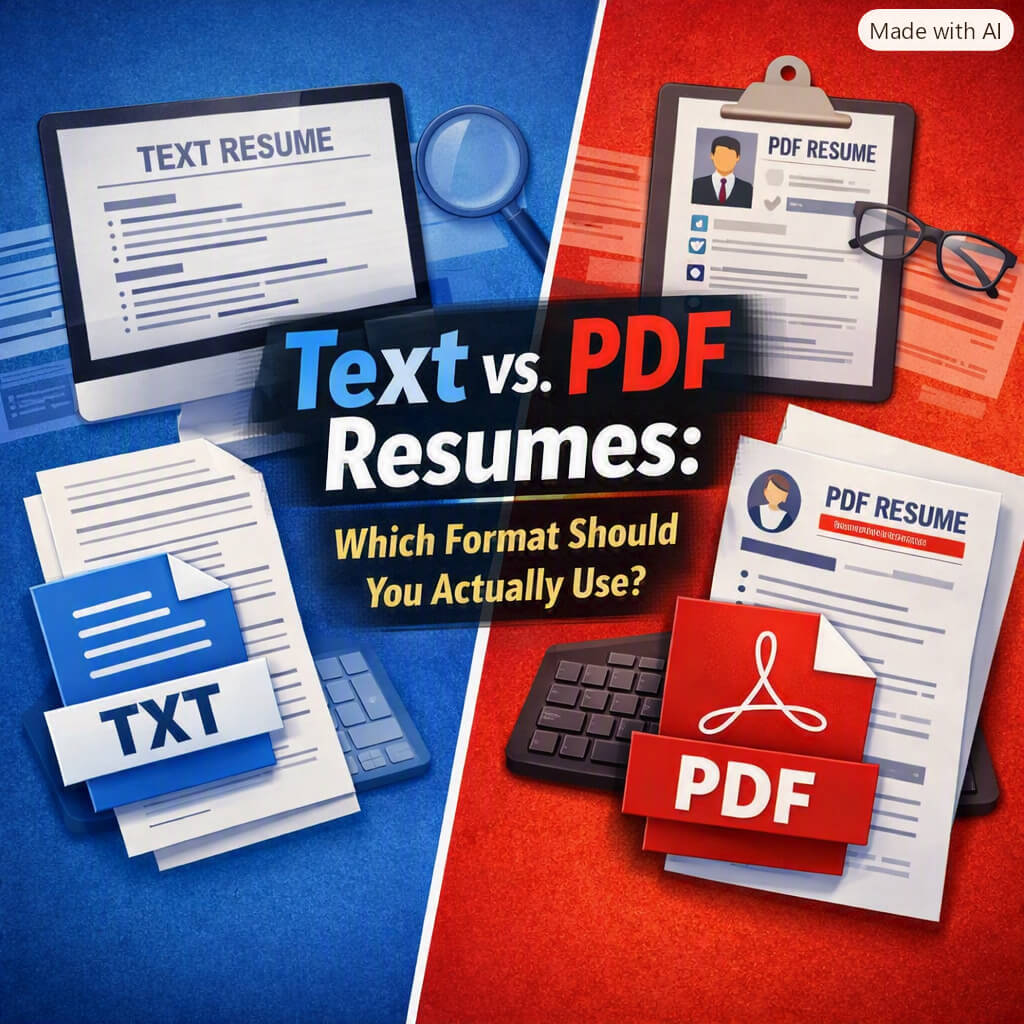
Most ATS systems parse Microsoft Word (.docx) files most reliably. PDFs can also work, but only if they are text-based (not scanned images). If the job application instructions do not specify, submitting a .docx file is generally the safer choice.

Never submit a CV as an image file (.jpg, .png), a scanned document, or a non-standard format. These cannot be parsed at all.

Fonts, Symbols, and Special Characters

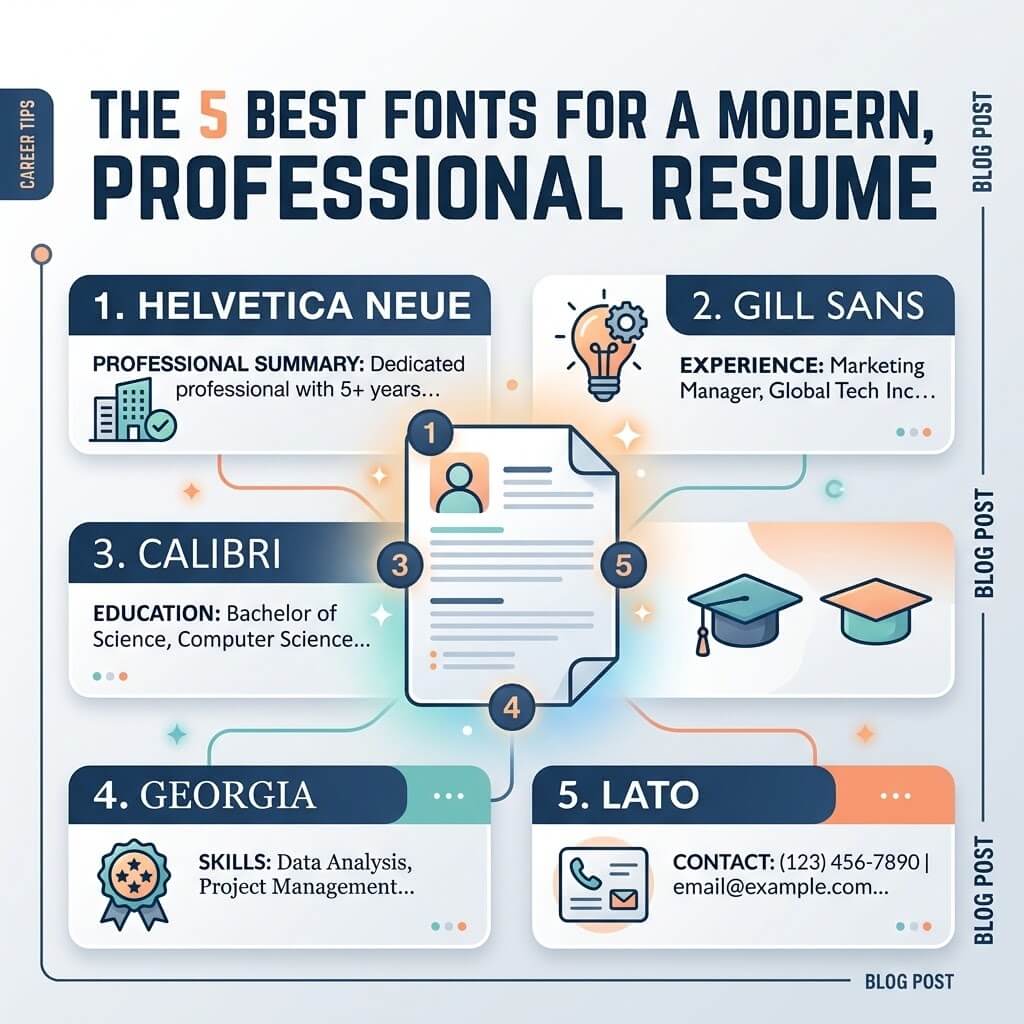
Stick to standard, widely supported fonts: Arial, Calibri, Garamond, Times New Roman. Decorative or custom fonts can cause parsing errors or character substitution.

Avoid using symbols, icons, or emojis — even as bullet points. Some ATS systems will either skip or misrender them. Use standard text-based bullets (•) or dashes.

Spell out abbreviations at least once before using them. If your industry uses “SEO” constantly but the job description spells out “search engine optimisation,” include both the abbreviated and full form in your CV.

Keep Graphics and Visual Elements Minimal

Infographic CVs, progress bars showing skill levels, timelines with icons — these may look impressive, but they are largely invisible to ATS software. A recruiter who receives your CV directly might appreciate the design; the ATS will ignore or garble the visual content and potentially miss the underlying information.

If you want to use a visually designed CV, consider maintaining two versions: an ATS-optimised plain-text or simple Word version for online submissions, and a designed PDF for direct networking and in-person handoffs.


Step 5: Quantify Your Achievements — For Humans and Machines

ATS systems increasingly look for evidence of impact, not just presence in a role. Including numbers and measurable outcomes does two things: it satisfies ATS filters that look for achievement-oriented language, and it makes your CV dramatically more compelling when a human reads it.

Compare:

  • “Managed social media accounts for the company.”
  • “Grew LinkedIn following by 140% in six months, increasing qualified lead generation by 28%.”

The second example contains more keywords, demonstrates measurable impact, and tells a story that resonates both with an algorithm and a hiring manager.

Wherever possible, quantify:

  • Team sizes managed
  • Revenue generated or saved
  • Percentage improvements
  • Project scale (budget, timeline, scope)
  • Volume of work handled (clients served, applications processed, content produced)

If you work in a role where output is harder to quantify — teaching, social work, research — focus on scope, reach, and outcomes even if they are descriptive rather than numerical.


Step 6: Tailor Every Application — Yes, Every One

The biggest mistake job seekers make is treating their CV as a static document and submitting the same version everywhere.

ATS systems are calibrated to specific job postings. A CV optimised for a digital marketing role at a tech company will not score well for the same role at a healthcare organisation — even if your underlying qualifications are identical — because the language, priorities, and keywords differ.

Tailoring does not mean rewriting your entire CV for every application. It means:

  1. Updating your professional summary to reflect the specific role and company
  2. Adjusting bullet points in your most recent 1–2 roles to use the job description’s language
  3. Refreshing your skills section to mirror the tools and competencies listed

This process, once practiced, takes 20–30 minutes per application. It is the highest-return activity you can do for your job search.


Common ATS Mistakes to Avoid

Using a single master CV for all applications. A generic CV is optimised for nothing. Tailoring is not optional if you want consistent interview rates.

Listing skills you do not have. ATS filters are not foolproof, and keyword stuffing can sometimes get you through — but then you face an interview. Misrepresenting your skills wastes everyone’s time, including yours.

Ignoring the job title field. Many ATS systems pull the job title from your work history to assess career progression and relevance. Make sure your listed titles accurately reflect the roles and are recognisable to the system.

Using images of text. Scanned documents, screenshots of certificates, or CVs built as image files are invisible to ATS parsers.

Over-designing at the expense of readability. A beautifully designed CV that scores zero in an ATS helps no one. Lead with function; add form only where it does not cost you parse accuracy.

Forgetting to proofread for keywords, not just errors. Read your CV with the job description open. Are the key phrases there? Are they in context? Does the language align? This is a separate review pass from proofreading for spelling and grammar.


ATS Optimisation Is Not About Gaming the System

There is an important distinction worth making: tailoring your CV for ATS is not about deceiving anyone. It is about effective communication.

When you use the employer’s language, you are demonstrating that you understand their world. When you structure your document clearly, you are making it easy for both software and humans to find what they need. When you quantify your impact, you are showing — not just telling — what you bring.

The employers who built these systems want to find good candidates. The ATS is a tool for efficiency, not a deliberate barrier. Understanding how it works lets you present yourself accurately and effectively — so that when a recruiter does sit down to read your CV, they are reading it because you earned that seat.


Final Checklist Before You Submit

Before submitting any application, run through these checks:

  • [ ] Have you extracted the key phrases from this specific job description?
  • [ ] Does your professional summary use language from the posting?
  • [ ] Are hard skills, tools, and certifications listed explicitly in a skills section?
  • [ ] Is the file format .docx or a text-based PDF?
  • [ ] Is all critical information in the document body, not in headers/footers/text boxes?
  • [ ] Have you avoided graphics, tables for core content, and decorative fonts?
  • [ ] Does each work experience bullet point demonstrate relevant, measurable impact?
  • [ ] Have you spelled out abbreviations that the job description spells out?
  • [ ] Does the document read naturally — not like a keyword list?

If you can check every box, you have done everything in your control to pass the ATS filter and reach the person who makes the actual hiring decision.

10 Massive Resume Mistakes That Are Costing You the Job

10 Massive Resume Mistakes That Are Costing You the Job

Your resume is often the first opportunity to make a strong impression on a potential employer. Unfortunately, many qualified candidates never make it to the interview stage because of avoidable resume mistakes. In today’s competitive job market, recruiters may spend only a few seconds scanning each resume before deciding whether to continue reading or move on to the next applicant. Even minor errors can significantly reduce your chances of getting noticed.

Many job seekers believe that having the right qualifications is enough to secure interviews. However, if your resume fails to communicate your value clearly and professionally, employers may never discover your true potential. Understanding the most common resume mistakes and learning how to avoid them can dramatically improve your job search success.

In this guide, we will explore ten massive resume mistakes that may be costing you job opportunities and provide practical solutions to help you create a resume that attracts recruiters and hiring managers.

1. Using a Generic Resume for Every Job Application

One of the biggest mistakes job seekers make is sending the same resume to every employer.

Many companies use Applicant Tracking Systems (ATS) to scan resumes for keywords related to specific job descriptions. A generic resume may not contain the keywords recruiters are looking for, causing your application to be filtered out before a human ever sees it.

Why This Hurts Your Chances

A one-size-fits-all resume suggests that you are not genuinely interested in the position. Employers want to see evidence that your skills and experience match their specific needs.

How to Fix It

Customize your resume for every application by:

  • Reviewing the job description carefully
  • Incorporating relevant keywords
  • Highlighting the most relevant experience
  • Adjusting your professional summary
  • Prioritizing skills that match the role

Tailoring your resume demonstrates effort and increases your chances of passing ATS screening.

2. Including Spelling and Grammar Errors

Nothing damages your credibility faster than spelling mistakes and grammatical errors.

Recruiters often view these mistakes as signs of carelessness, poor communication skills, or lack of attention to detail.

Common Errors Include

  • Misspelled company names
  • Incorrect job titles
  • Missing punctuation
  • Inconsistent verb tenses
  • Typographical mistakes

Why Employers Notice

Even if the position does not involve writing, employers expect candidates to submit professional documents.

How to Fix It

Before submitting your resume:

  • Use grammar-checking software
  • Read your resume aloud
  • Print and review it manually
  • Ask someone else to proofread it

A clean, error-free resume immediately creates a stronger professional impression.

3. Writing a Weak Professional Summary

Your professional summary is one of the first sections recruiters read. A weak introduction can cause employers to lose interest quickly.

Poor Example

“Hardworking individual seeking opportunities to grow professionally.”

This statement is vague and could describe almost anyone.

Better Example

“Results-driven digital marketing specialist with five years of experience increasing organic website traffic, improving conversion rates, and managing successful SEO campaigns.”

The second example immediately communicates value and expertise.

How to Fix It

Your summary should:

  • Highlight experience
  • Showcase achievements
  • Include relevant keywords
  • Explain your professional value

Think of this section as your personal marketing statement.

4. Focusing on Responsibilities Instead of Achievements

Many resumes simply list job duties without explaining actual accomplishments.

Example of a Weak Statement

“Responsible for managing customer service operations.”

This tells employers what you were supposed to do but not how well you performed.

Stronger Alternative

“Managed customer service operations, reducing complaint resolution time by 35% and increasing customer satisfaction scores.”

Employers care about results.

How to Fix It

Whenever possible, include measurable achievements:

  • Revenue generated
  • Sales increased
  • Costs reduced
  • Teams managed
  • Projects completed
  • Customer satisfaction improvements

Numbers make your accomplishments more credible and impressive.

5. Creating a Resume That Is Too Long

Some job seekers assume that including every detail of their career history will impress recruiters. In reality, lengthy resumes often work against you.

Why Long Resumes Fail

Recruiters typically spend only a short time reviewing applications.

A resume filled with unnecessary information makes it harder to identify your strongest qualifications.

How to Fix It

Focus on relevant information only.

For most professionals:

  • Entry-level candidates: One page
  • Mid-level professionals: One to two pages
  • Senior executives: Two pages

Remove outdated, repetitive, or unrelated content.

Quality matters more than quantity.

6. Using Poor Formatting and Design

Even excellent content can be overlooked if your resume is difficult to read.

Common Formatting Mistakes

  • Tiny font sizes
  • Large text blocks
  • Inconsistent spacing
  • Multiple font styles
  • Excessive colors
  • Overcomplicated layouts

Why It Matters

Recruiters should be able to scan your resume quickly and locate important information immediately.

How to Fix It

Use:

  • Professional fonts
  • Consistent formatting
  • Clear section headings
  • Adequate white space
  • Easy-to-read bullet points

A clean design improves readability and professionalism.

7. Ignoring Applicant Tracking System (ATS) Requirements

Many applicants still create resumes without considering ATS software.

Since many employers rely on ATS systems to screen candidates, failure to optimize your resume can result in automatic rejection.

Common ATS Mistakes

  • Missing keywords
  • Using graphics and images
  • Including tables and text boxes
  • Using non-standard headings

How to Fix It

Use standard sections such as:

  • Professional Summary
  • Work Experience
  • Skills
  • Education
  • Certifications

Incorporate keywords directly from the job description whenever appropriate.

An ATS-friendly resume improves visibility and increases interview opportunities.

8. Including Irrelevant Information

Many job seekers fill their resumes with information that adds little value.

Examples include:

  • Outdated work experience
  • Unrelated hobbies
  • Personal details
  • References upon request
  • Excessive objective statements

Why This Is a Problem

Irrelevant information distracts from your qualifications and consumes valuable space.

Recruiters want to see information that supports your candidacy.

How to Fix It

Ask yourself:

“Does this information help me get this specific job?”

If the answer is no, consider removing it.

Every section should contribute to your professional story.

9. Using Weak and Repetitive Language

The language you use significantly impacts how recruiters perceive your experience.

Weak Resume Phrases

  • Responsible for
  • Helped with
  • Worked on
  • Assisted in
  • Participated in

These phrases fail to demonstrate leadership and ownership.

Strong Alternatives

  • Led
  • Developed
  • Implemented
  • Directed
  • Achieved
  • Increased
  • Streamlined
  • Coordinated

Example

Weak:

“Helped with marketing campaigns.”

Strong:

“Developed and executed marketing campaigns that increased lead generation by 40%.”

Strong language creates a more confident and compelling resume.

10. Failing to Update Contact Information

This may seem obvious, but it remains one of the most common resume mistakes.

Potential Problems

  • Incorrect phone numbers
  • Old email addresses
  • Broken LinkedIn links
  • Outdated portfolio websites

Why It Matters

You may be the perfect candidate, but employers cannot contact you if your information is inaccurate.

How to Fix It

Before submitting your resume:

  • Verify your phone number
  • Test all links
  • Check your email address
  • Update your LinkedIn profile

Always conduct a final review before applying.

Bonus Mistake: Not Showing Career Progression

Employers often look for signs of professional growth.

A resume that simply lists positions without demonstrating advancement may appear stagnant.

Example

Instead of listing:

  • Sales Associate
  • Senior Sales Associate
  • Sales Manager

Explain how your responsibilities expanded and how your performance earned promotions.

Demonstrating progression shows ambition, reliability, and leadership potential.

The Hidden Cost of Resume Mistakes

Resume mistakes do more than reduce your chances of getting an interview.

They can also:

  • Delay career advancement
  • Reduce earning potential
  • Increase job search time
  • Create negative first impressions
  • Cause qualified candidates to be overlooked

Many job seekers spend months applying for positions without realizing that resume issues are preventing them from moving forward.

A professionally written and carefully edited resume can often generate better results without requiring additional qualifications or certifications.

Resume Improvement Checklist

Before sending your next application, verify the following:

✓ Resume is tailored to the job

✓ No spelling mistakes

✓ Grammar is correct

✓ ATS keywords are included

✓ Professional summary is compelling

✓ Achievements are quantified

✓ Formatting is consistent

✓ Contact information is accurate

✓ Irrelevant content has been removed

✓ Strong action verbs are used

✓ Resume length is appropriate

✓ Links and portfolio information work correctly

Completing this checklist can significantly improve your resume’s effectiveness.

Final Thoughts

A resume is more than a document—it is a marketing tool designed to convince employers that you are the right candidate for the job. Unfortunately, even highly qualified professionals can miss valuable opportunities because of common resume mistakes.

By avoiding generic applications, eliminating grammar errors, highlighting achievements, optimizing for ATS systems, improving formatting, and using stronger language, you can create a resume that captures attention and increases your chances of securing interviews. Remember, employers are not simply looking for candidates who meet the requirements. They are looking for candidates who communicate their value clearly and professionally. Taking the time to identify and correct these ten massive resume mistakes could be the difference between getting ignored and getting hired.

How to Copy-Edit Your Resume Like a Professional Editor

How to Copy-Edit Your Resume Like a Professional Editor

A resume is often the first impression you make on a potential employer. Even if you have excellent qualifications, experience, and skills, a resume filled with grammar mistakes, formatting inconsistencies, or unclear wording can significantly reduce your chances of getting an interview. Professional editors understand that effective copy-editing is not just about correcting spelling errors—it’s about improving clarity, consistency, readability, and impact.

In today’s competitive job market, recruiters often spend only a few seconds reviewing each resume. This means every word matters. Learning how to copy-edit your resume like a professional editor can help you create a polished, professional document that stands out from the competition and increases your chances of landing your dream job.

What Is Resume Copy-Editing?

Copy-editing is the process of reviewing and refining written content to ensure it is clear, accurate, consistent, and free of errors. When applied to resumes, copy-editing involves:

  • Correcting grammar and spelling mistakes
  • Improving sentence structure
  • Ensuring consistent formatting
  • Removing unnecessary words
  • Strengthening action verbs
  • Enhancing readability
  • Checking factual accuracy
  • Optimizing keywords for Applicant Tracking Systems (ATS)

Unlike resume writing, which focuses on creating content, copy-editing focuses on improving and polishing existing content.

Why Resume Copy-Editing Matters

Many job seekers underestimate the importance of editing. A single typo can create a negative impression and suggest carelessness. Recruiters often view resume mistakes as indicators of poor attention to detail.

A professionally edited resume can:

  • Improve readability
  • Increase ATS compatibility
  • Highlight achievements more effectively
  • Demonstrate professionalism
  • Boost employer confidence
  • Increase interview opportunities

Think of copy-editing as the final quality-control step before sending your resume to employers.

Step 1: Take a Break Before Editing

One of the biggest mistakes job seekers make is editing immediately after writing their resume. When you have spent hours creating content, your brain automatically fills in missing words and overlooks mistakes.

Professional editors often step away from a document before reviewing it. If possible:

  • Wait a few hours
  • Review the next day
  • Edit with fresh eyes

This simple technique helps you spot errors more easily.

Step 2: Check for Spelling Errors

Spelling mistakes instantly reduce credibility. Even small errors can leave a negative impression.

Common resume spelling issues include:

  • Company names
  • Job titles
  • Technical skills
  • Certifications
  • Industry terminology

Use multiple methods to catch mistakes:

  • Built-in spell checkers
  • Grammar software
  • Manual proofreading
  • Reading aloud

Never rely entirely on automated tools because they may miss context-related errors.

Example

Incorrect:

“Managed social media campains and created marketting materials.”

Correct:

“Managed social media campaigns and created marketing materials.”

Step 3: Fix Grammar and Punctuation

Grammar errors can make your resume difficult to read and understand.

Pay special attention to:

Verb Tense Consistency

Use present tense for your current position:

  • Manage client relationships
  • Lead project teams

Use past tense for previous positions:

  • Managed client relationships
  • Led project teams

Punctuation Consistency

Choose one style and apply it throughout.

Example:

Consistent:

  • Project management
  • Team leadership
  • Budget planning

Inconsistent:

  • Project management
  • Team leadership.
  • Budget planning

Consistency creates a more professional appearance.

Step 4: Eliminate Wordiness

Professional editors remove unnecessary words that add little value.

Recruiters prefer concise, direct statements.

Weak Example

“Responsible for managing and overseeing the daily operations of the customer service department.”

Improved Example

“Managed daily customer service operations.”

The second version communicates the same message more effectively while saving space.

Step 5: Strengthen Action Verbs

Strong action verbs make accomplishments more impactful.

Replace weak phrases such as:

  • Responsible for
  • Helped with
  • Worked on
  • Assisted in

With stronger alternatives:

  • Led
  • Implemented
  • Developed
  • Coordinated
  • Executed
  • Improved
  • Increased
  • Achieved
  • Streamlined
  • Directed

Example

Weak:

“Helped improve customer satisfaction.”

Strong:

“Improved customer satisfaction by 25% through process enhancements.”

Step 6: Quantify Achievements

Professional editors look for opportunities to add measurable results.

Numbers provide credibility and help recruiters understand your impact.

Examples

Instead of:

“Managed a sales team.”

Write:

“Managed a sales team of 12 representatives across three regions.”

Instead of:

“Increased website traffic.”

Write:

“Increased website traffic by 45% within six months through SEO optimization.”

Quantified achievements attract attention and strengthen your resume.

Step 7: Maintain Consistent Formatting

Formatting consistency is one of the most overlooked aspects of resume editing.

Check the following:

Font Style

Use one professional font such as:

  • Arial
  • Calibri
  • Helvetica
  • Georgia

Font Size

Typical sizes include:

  • Headings: 12–14 pt
  • Body text: 10–12 pt

Dates

Choose one format:

  • Jan 2023 – Present
  • January 2023 – Present

Do not mix formats.

Bullet Points

Keep bullet styles consistent throughout the document.

Professional formatting improves readability and creates a polished appearance.

Step 8: Optimize for Applicant Tracking Systems (ATS)

Many employers use ATS software to screen resumes before human review.

To improve ATS compatibility:

Use Relevant Keywords

Include keywords from the job description.

Examples:

  • Project Management
  • Data Analysis
  • Customer Service
  • Digital Marketing
  • Sales Strategy
  • Leadership

Avoid Graphics

Complex designs, tables, and images can confuse ATS software.

Use Standard Headings

Examples:

  • Professional Summary
  • Work Experience
  • Education
  • Skills
  • Certifications

Simple formatting often performs better in ATS systems.

Step 9: Review Your Contact Information

Incorrect contact information can cost you interview opportunities.

Verify:

  • Full name
  • Phone number
  • Email address
  • LinkedIn profile
  • Portfolio website

Professional email example:

john.smith@email.com

Avoid unprofessional addresses such as:

coolguy123@email.com

Your contact details should be accurate and professional.

Step 10: Check for Consistency in Style

Professional editors pay close attention to consistency.

Review:

  • Capitalization
  • Date formats
  • Job title formatting
  • Company names
  • Abbreviations
  • Bullet structures

Example

Inconsistent:

  • Project Manager
  • project coordinator
  • Team Leader

Consistent:

  • Project Manager
  • Project Coordinator
  • Team Leader

Consistency demonstrates attention to detail.

Step 11: Read Your Resume Aloud

Reading aloud is one of the most effective editing techniques.

When you read silently, your brain often skips mistakes. Reading aloud forces you to process every word.

Benefits include:

  • Identifying awkward phrasing
  • Finding missing words
  • Detecting repetitive language
  • Improving sentence flow

Many professional editors use this technique before finalizing documents.

Step 12: Check for Repetition

Repeated words can make your resume less engaging.

Example:

Poor:

  • Managed projects
  • Managed budgets
  • Managed teams
  • Managed schedules

Improved:

  • Directed projects
  • Controlled budgets
  • Led teams
  • Coordinated schedules

Varied language creates stronger content and improves readability.

Step 13: Focus on Results, Not Duties

Many resumes simply list job responsibilities.

Professional editors encourage candidates to emphasize outcomes.

Duty-Focused Statement

“Handled customer complaints.”

Achievement-Focused Statement

“Resolved customer complaints, increasing satisfaction ratings by 18%.”

Employers care more about what you achieved than what you were assigned to do.

Step 14: Verify Every Fact

Before submitting your resume, verify:

  • Employment dates
  • Job titles
  • Company names
  • Certification details
  • Educational qualifications
  • Statistics and metrics

Even small inaccuracies can damage credibility if discovered later.

Step 15: Get a Second Opinion

Even professional editors seek feedback from others.

Ask:

  • Career coaches
  • Recruiters
  • Mentors
  • Colleagues
  • Friends with hiring experience

A fresh perspective can reveal issues you may have overlooked.

Common Resume Editing Mistakes to Avoid

Using Generic Language

Avoid phrases like:

  • Hardworking professional
  • Team player
  • Results-oriented individual

Instead, provide evidence of your accomplishments.

Overusing Buzzwords

Too many buzzwords can make your resume sound artificial.

Focus on specific achievements instead.

Including Irrelevant Information

Remove outdated or unrelated details that do not support your target position.

Ignoring ATS Requirements

Even a perfectly written resume may fail if it lacks relevant keywords.

Sending Without Final Proofreading

Always conduct one last review before submission.

Professional Resume Copy-Editing Checklist

Before sending your resume, confirm that:

✓ No spelling mistakes exist

✓ Grammar is correct

✓ Formatting is consistent

✓ Dates match throughout

✓ Contact information is accurate

✓ Action verbs are strong

✓ Achievements are quantified

✓ ATS keywords are included

✓ Bullet points are consistent

✓ Resume is easy to read

✓ No unnecessary words remain

✓ Facts are verified

✓ Another person has reviewed it

Final Thoughts

Learning how to copy-edit your resume like a professional editor is one of the most valuable skills for job seekers. A polished resume demonstrates professionalism, attention to detail, and strong communication skills. By carefully reviewing grammar, formatting, consistency, keyword optimization, and achievement-focused content, you can transform an average resume into a powerful marketing document. Remember that editing is not merely about correcting mistakes. It is about making every section of your resume work harder to showcase your value to employers. Whether you are applying for your first job, changing careers, or pursuing a senior-level position, investing time in professional-quality resume copy-editing can significantly improve your chances of securing interviews and advancing your career.

Action Verbs That Will Make Your Resume Stand Out to Recruiters

Action Verbs That Will Make Your Resume Stand Out to Recruiters

Discover the best action verbs for your resume in 2026. Learn which power words impress recruiters, beat ATS systems, and turn bland bullet points into compelling achievements.

Introduction: Your Resume Has 7 Seconds — Make Every Word Count

Here’s a brutal truth most career coaches won’t say out loud: your resume is probably boring.

Not because you haven’t done impressive work. Not because your experience isn’t valuable. But because the words you’re using to describe that experience are the same words every other candidate is using — words like “responsible for,” “assisted with,” “helped manage,” and “experienced in.”

These phrases are resume killers. They’re passive, vague, and invisible to the recruiters scanning your application in under ten seconds.

The fix? Action verbs. Powerful, precise, purposeful action verbs that tell recruiters not just what you did — but how you did it and what it produced.

This guide gives you more than just a list. It gives you strategy: why certain verbs work, which ones are overused and damaging your credibility, how to pair verbs with numbers for maximum impact, and category-by-category verb banks tailored to the type of role you’re targeting.


Why Action Verbs Matter More Than You Think

The ATS Problem Nobody Tells You About

Most large companies — and many mid-sized ones — use Applicant Tracking Systems (ATS) to filter resumes before a human ever sees them. These systems scan for keywords, structure, and language that matches the job posting.

Here’s the underappreciated insight: action verbs directly influence ATS performance. When your resume uses verbs like “engineered,” “facilitated,” or “streamlined” — verbs that mirror the dynamic language of job descriptions — your resume is far more likely to be shortlisted than one that reads like a passive job duty log.

Action verbs aren’t just stylistic choices. They’re strategic keywords.

The Human Attention Problem

Beyond the algorithm, there’s a human attention problem. Recruiters routinely scan through hundreds of resumes for a single role. Studies consistently find they spend an average of 6–8 seconds on an initial review. Their eyes land on bullet points. And what opens those bullet points determines whether they keep reading — or move on.

Strong verbs create instant signal. They tell a recruiter: this person takes initiative, produces results, and communicates clearly. Weak verbs create noise. They blend into the pile.

The “Responsible For” Trap

One of the most common resume mistakes is framing every bullet point with “responsible for.” This phrase is passive by nature. It tells the reader you had a duty — not that you fulfilled it, excelled at it, or made it better.

Compare these two statements:

  • Responsible for improving internal workflows
  • Streamlined internal workflows, reducing project turnaround time by 22%

The second version is energetic, measurable, and memorable. The first is forgettable.


The Anatomy of a Powerful Resume Bullet Point

Before diving into the verb lists, understand the formula that makes action verbs work at full power:

[Strong Action Verb] + [Specific Task or Context] + [Measurable Result]

Examples:

  • Launched a cross-functional mentorship program that increased junior employee retention by 31%
  • Restructured the procurement workflow, cutting vendor costs by $140,000 annually
  • Designed onboarding materials adopted across 4 regional offices serving 200+ new hires

The verb opens the door. The context and result close the sale.

Data has become the language of modern hiring. When you can pair an action verb with a concrete metric — percentage, dollar amount, number of people affected, timeframe reduced — you transform a vague claim into undeniable evidence of impact.


The Big Categories: Action Verbs by Skill Set

1. Leadership & Management Verbs

These verbs are essential if you’re applying for roles that involve people management, team coordination, or organizational oversight. Don’t just say you “managed” — that word has been exhausted.

High-Impact Leadership Verbs:

  • Spearheaded — implies bold, first-mover initiative
  • Championed — suggests advocacy and commitment to a cause
  • Mobilized — conveys rallying people toward a goal
  • Orchestrated — implies coordination of complex, moving parts
  • Mentored — personal, development-focused leadership
  • Directed — clear authority with purposeful action
  • Galvanized — energized a team or group toward action
  • Instituted — created or established something new
  • Cultivated — grew relationships or talent over time
  • Steered — guided strategy or direction

In Practice:

  • Spearheaded a market expansion initiative that opened 3 new territories within 8 months
  • Mentored 12 junior analysts, 9 of whom received promotions within 18 months

2. Achievement & Results Verbs

These are the powerhouse verbs that make recruiters stop scrolling. They signal outcome-orientation — the most prized trait in any hire.

High-Impact Achievement Verbs:

  • Achieved — direct, confident, results-focused
  • Exceeded — implies going beyond the bar
  • Surpassed — stronger than exceeded; suggests significant outperformance
  • Delivered — professional, reliable, result-confirmed
  • Generated — especially strong for sales, marketing, or revenue roles
  • Amplified — great for growth, marketing, and impact roles
  • Maximized — signals efficiency and resource optimization
  • Accelerated — implies speed and urgency of impact
  • Transformed — implies significant, systemic change
  • Drove — implies agency behind a result

In Practice:

  • Generated $2.4M in new revenue by developing a strategic partnership with three regional distributors
  • Exceeded quarterly sales targets by 40% for six consecutive quarters

3. Problem-Solving & Innovation Verbs

These verbs speak to critical thinking, creativity, and the ability to work through challenges — valued across virtually every industry.

High-Impact Problem-Solving Verbs:

  • Diagnosed — identifies analytical depth
  • Resolved — clear problem → solution signal
  • Pioneered — first to do something; strong innovation signal
  • Devised — created a solution from scratch
  • Engineered — technical problem-solving at a high level
  • Revamped — implies fixing something that was broken
  • Reimagined — signals creative, big-picture thinking
  • Streamlined — one of the most effective efficiency verbs
  • Overhauled — comprehensive, thorough improvement
  • Troubleshot — technical, specific, credible

In Practice:

  • Diagnosed recurring bottlenecks in the supply chain and devised a triage protocol that cut fulfillment delays by 37%
  • Pioneered the company’s first AI-assisted customer segmentation model, reducing churn by 18%

4. Communication & Collaboration Verbs

Soft skills are increasingly valued — but they need hard language to land. These verbs turn “good communicator” from a cliché into a demonstrated capability.

High-Impact Communication Verbs:

  • Presented — confident, audience-aware communication
  • Negotiated — high-stakes, outcome-focused communication
  • Authored — positions you as a credible voice
  • Articulated — implies clarity and precision
  • Facilitated — leadership through conversation and consensus
  • Collaborated — team-oriented, relationship-focused
  • Liaised — cross-functional or external relationship management
  • Persuaded — result-oriented communication
  • Briefed — executive-level communication signal
  • Mediated — conflict resolution and diplomacy

In Practice:

  • Negotiated a 3-year vendor contract that saved the organization $280,000 annually
  • Facilitated cross-departmental workshops that aligned sales and product teams on a unified go-to-market strategy

5. Technical & Analytical Verbs

For roles in technology, data, engineering, or finance, precision matters. These verbs signal technical credibility.

High-Impact Technical/Analytical Verbs:

  • Architected — high-level system design
  • Programmed — direct, specific technical output
  • Automated — efficiency, scale, innovation
  • Optimized — performance-focused improvement
  • Integrated — systems thinking and connectivity
  • Analyzed — data-driven decision making
  • Modeled — forecasting, financial, or data modeling
  • Configured — technical setup and implementation
  • Deployed — putting something into production or service
  • Audited — compliance, accuracy, and review

In Practice:

  • Architected a microservices infrastructure that reduced system downtime by 64%
  • Automated 14 manual reporting processes, freeing 200+ hours of analyst time per quarter

6. Creative & Design Verbs

For marketing, content, design, UX, or brand roles, these verbs reflect creative ownership and vision.

High-Impact Creative Verbs:

  • Crafted — intentional, considered creation
  • Conceptualized — from idea to execution
  • Curated — selective, taste-driven curation
  • Illustrated — specific visual output
  • Produced — end-to-end content or project ownership
  • Branded — identity and positioning work
  • Storyboarded — visual communication planning
  • Wrote — direct, confident authorship
  • Redesigned — improvement with creative intentionality
  • Visualized — data or concept representation

In Practice:

  • Conceptualized a brand refresh that increased social media engagement by 52% within 90 days
  • Crafted a content strategy spanning 6 channels, growing organic reach from 12K to 85K monthly visitors

Verbs to Retire Immediately (And What to Use Instead)

Some action verbs have been so overused they’ve lost all meaning. Using them signals a lack of effort to recruiters. Here’s what to swap out:

Overused VerbReplace With
ManagedDirected, Orchestrated, Oversaw, Supervised
HelpedSupported, Enabled, Contributed, Facilitated
Worked onDeveloped, Built, Executed, Delivered
DidCompleted, Achieved, Produced
UtilizedUsed (or better: chose a more specific action verb)
Was responsible forLead, Spearheaded, Owned, Executed
AssistedPartnered, Collaborated, Supported strategically
HandledManaged, Coordinated, Administered

A note on “utilized”: this word is a red flag to many experienced recruiters and hiring managers. It’s often used to sound sophisticated, but it almost always signals wordiness over substance. Replace it — or eliminate it entirely.


How to Choose the Right Verb for the Right Job

Not all action verbs are appropriate for all roles. Matching your verb choices to the specific context of the position you’re applying for is critical.

Read the Job Description as a Verb Map

Scan the job posting for the language used to describe responsibilities. If the description says “drive growth,” use “drove” or “accelerated” in your bullets. If it says “manage cross-functional teams,” consider “orchestrated” or “directed.” Mirroring the tone and vocabulary of the job description — without copying it verbatim — signals cultural and professional fit.

Match Verb Intensity to Your Seniority Level

  • Entry-level roles: Lean toward verbs like assisted, supported, contributed, organized, documented, researched
  • Mid-level roles: Use verbs like managed, developed, coordinated, led, analyzed, implemented
  • Senior/executive roles: Prioritize verbs like spearheaded, architected, championed, transformed, instituted, directed

Over-claiming with leadership verbs when you were in a junior role can read as dishonest. Under-using them when you have executive experience leaves impact on the table.

Industry-Specific Verb Calibration

Different sectors respond to different vocabulary:

  • Finance: Audited, modeled, forecasted, reconciled, evaluated
  • Healthcare: Administered, diagnosed, coordinated, assessed, treated
  • Technology: Engineered, deployed, optimized, automated, developed
  • Marketing: Launched, branded, grew, amplified, created
  • Education: Instructed, mentored, facilitated, developed, assessed
  • Operations: Streamlined, implemented, coordinated, reduced, restructured

Using industry-relevant verbs shows you understand the language of your field — which builds instant credibility.


The Repetition Problem (And How to Solve It)

One of the most common pitfalls after learning about action verbs is over-reliance on a handful of favorites. When every bullet point starts with “led” or “managed,” the effect is monotonous — and recruiters notice.

Strategies to Avoid Repetition:

  1. Build a personal verb bank — write down 20–30 verbs that feel authentic to your work style before you start writing
  2. Vary by time period — use different verbs for different jobs to signal growth and variety
  3. Use synonyms with different nuance — “orchestrated,” “coordinated,” and “directed” all mean different things at different scales

A Note on Authenticity

Here’s original commentary you won’t find elsewhere: the obsession with “power words” can sometimes backfire.

Recruiters who read resumes daily have finely tuned radar for language that feels inflated or performative. If you describe a role where you helped schedule team meetings as “spearheaded cross-functional alignment initiatives,” you’ve overcorrected — and a skilled recruiter will spot it immediately.

The goal is not to use the most impressive-sounding verb. The goal is to use the most accurate and vivid verb that honestly reflects what you actually did. When honest, specific, well-matched verbs meet quantifiable results, that’s when resumes truly shine.

A resume that uses “built” honestly is more compelling than one that uses “architected” inaccurately.


Quick-Reference Master List of 80+ Action Verbs

Leadership: Spearheaded, Championed, Mobilized, Orchestrated, Directed, Mentored, Cultivated, Steered, Galvanized, Instituted

Achievement: Achieved, Exceeded, Surpassed, Delivered, Generated, Amplified, Maximized, Accelerated, Transformed, Drove

Problem-Solving: Diagnosed, Resolved, Pioneered, Devised, Revamped, Reimagined, Streamlined, Overhauled, Troubleshot, Engineered

Communication: Presented, Negotiated, Authored, Facilitated, Collaborated, Liaised, Persuaded, Briefed, Mediated, Articulated

Technical/Analytical: Architected, Programmed, Automated, Optimized, Integrated, Analyzed, Modeled, Configured, Deployed, Audited

Creative: Crafted, Conceptualized, Curated, Produced, Branded, Redesigned, Visualized, Storyboarded, Illustrated, Wrote

Operations/Finance: Administered, Coordinated, Reconciled, Forecasted, Restructured, Reduced, Implemented, Allocated, Monitored, Evaluated

Growth/Marketing: Launched, Grew, Expanded, Promoted, Captured, Developed, Increased, Built, Scaled, Established


Conclusion: Your Words Are Your First Impression

Your resume is competing in a crowded field. Recruiters are moving fast, ATS systems are filtering hard, and the margin between getting an interview and getting ignored is often a single, powerful bullet point.

Action verbs are not window dressing. They are the vehicle through which your professional story is told — the difference between a passive list of duties and an active narrative of impact.

Start with the verb. Back it with numbers. Tailor it to the role. And never — not once — begin a bullet with “responsible for” again.

Your next opportunity is one well-crafted resume away.

Some valuable resume writing tips for winning resume writing

Some valuable resume writing tips for winning resume writing

Resume is the kind of commercial document which could be the first step on the way of success. The importance of this documents demand some special consideration while preparing it. Many people get failed in seducing the employer for calling them in interview due to incompetence of their resume. They fail to prepare the winning resume and hence they could not succeed in acquiring apt job. Taking in view the above mentioned facts it is clear that appropriate designing and preparation of resume is the matter of existence in the corporate world for a job seeker. To provide the basic but important information about resume formation some valuable and practical resume writing tips are enlisted here under for those who want to prepare their winning resume.

  • Follow the format of resume demanded by the employer

Majority of the time employer mention the format of resume which applicants has furnished to them for recruitments. In such cases it becomes very important to follow the format that is mentioned by the employer like PDF, DOCX, DO, RTF etc. However, when employer doesn’t mention any format that you could select any one of the above mentioned format, the best and most popular among these is PDF format.

  • The basic character of winning resume is brief and short

 It is observed that an employer got approximately six seconds to view a resume. This is very short time and in this short time resume must have the ability to catch the attention of employer, so that he place the notice to you for interview. Therefore, it is best idea to remain brief in providing relevant information in your resume.

  • Provide the information in straightforward manner

 It is an established fact that the straightforward and understandable information could penetrate deeper than the ambiguous one. Therefore, it could be fruitful for you to provide the information in simple and straightforward way to the employer through resume.

  • Uniform font is better

 Many people use different fonts in preparing the documents. Actually they want to prepare the document which could present the best view. In reality different fonts create smooth reading problem which could the big hindrance in being accepted. Therefore, it is suggested to use the same font throughout the resume.

  • Make the relevant information high-flying

The major objective of employer in the scrutiny of resume is to find the most relevant information about the job. Therefore, it is wise thinking to place the information on the front which employer is seeking in your resume i.e., the relevant information about job. This factor helps the resume to get approved by the employer.

  • Place the contact in the end

After getting convinced from your resume employer will need your contacts so that he or she could issue interview call to you. To facilitate the employer, it is better to place the contact at the end of your resume so that employer could find your contacts easily and furnished you the interview call.

Above mentioned are some basic but very important resume writing tips which should be followed by the individual who is willing to design the resume on his own.